2027 Spring Stitchers at Sea Cruise
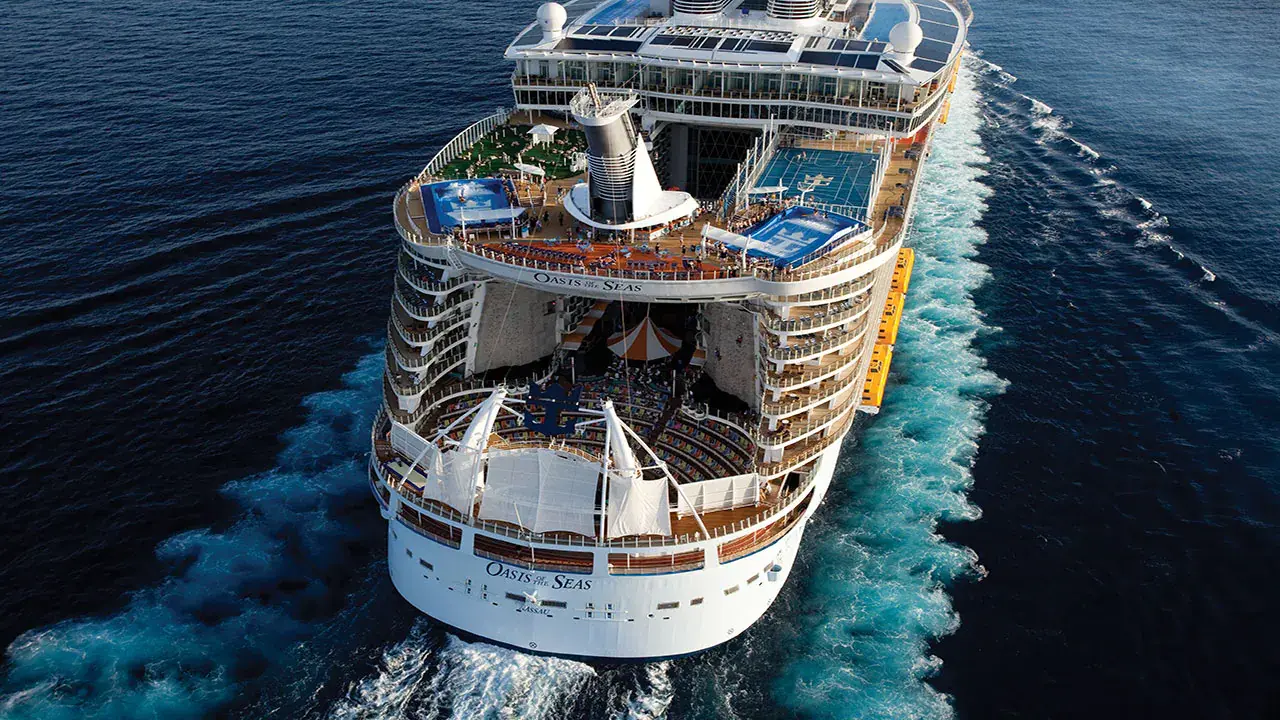
3 Night Bahamas Cruise from Fort Lauderdale, Florida
What's included in this cruise:
- Cruise Fare
- Taxes, Fees, and Port Expenses
- Daily Stitch Meetups
- Special Cruise Themed Mini Kitted Canvas
What's not included in this cruise:
- Drink Packages
- Travel Insurance
- Excursions
- Specialty Dining
- Gratuities
Cruise Itinerary
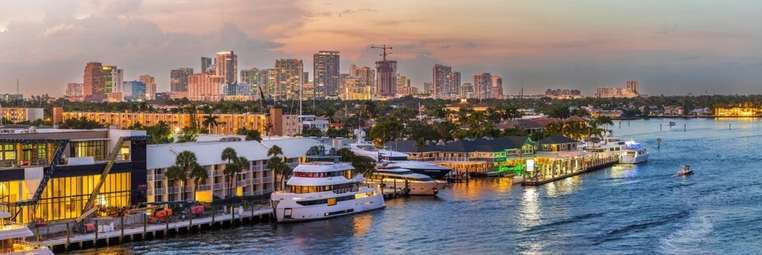 April 2, 2027 Fort Lauderdale, Florida (Embark)
- Optional Group "Get to Know You" Dinner
- Optional Evening Stitch Meetup

- Optional Morning and Evening Stitch Meetups

- Optional Morning and Evening Stitch Meetups
- Optional Group Dinner
What is included in my cruise fare?
Your cruise fare includes your stateroom, most onboard dining, entertainment, ship amenities, and visits to Nassau and Perfect Day at CocoCay. Spring Stitchers at Sea guests will also enjoy casual stitch meetups, an optional group dinner, and one mini, cruise-themed kitted canvas per stitcher. Extras such as excursions, drink packages, specialty dining, gratuities, travel insurance, and transportation to/from the cruise port are not included.
Maybe. While families are welcome onboard, our group does not provide babysitting or childcare during group activities. Parents or guardians are solely responsible for their minor(s) at all times during the cruise. Please note that Spring Stitchers at Sea group activities—including stitch meetups and group dinners—are reserved for guests ages 18 and over.If you are interested in booking a cabin with two adults and one or more children, please contact Gayle directly. These arrangements must be booked outside of the group and are subject to ship availability.
Can we pay separately for our cabin?
Yes. Cabin mates may pay separately. If you are paying separately, each guest should complete their own registration and select one traveler during booking. Be sure to list your cabin mate’s full name on the registration form so the reservations can be properly linked. If both guests prefer to pay together, one person may complete the registration and select two travelers.
Gratuities will be added to your onboard account if they are not prepaid, so selecting prepaid gratuities simply allows you to take care of them in advance and enjoy a smoother onboard experience. Travel insurance is strongly recommended to protect your investment in case of unexpected events such as illness, travel delays, or the need to cancel your trip. These optional extras help provide peace of mind before and during your cruise. Passengers traveling together in a cabin must each have the same level of travel insurance. Royal Caribbean does not allow one passenger to have insurance and the other to not have insurance. Please be sure to discuss this with your cabinmate before booking.
All cancellation requests must be submitted in writing and are subject to the cruise line’s cancellation policy. Deposits are non-refundable. The applicable cancellation policy can be found here.
Please follow these important instructions to correctly book your cruise!
-
- Before booking, please make sure you have two confirmed travelers (yourself and your cabin mate). Cabins require two guests.
- Please note that the $100 per person deposit is non-refundable.
-
Select your desired package and click the blue “Book Now” button.
-
If you are paying together: From the “Select Travelers” dropdown, choose 2 travelers.
-
If you are paying separately: Each guest should complete their own registration and select 1 traveler. Be sure to list your cabinmate’s full name on the registration form so the bookings can be linked.
-
Scroll down to Add Extra Options and select any applicable options.
Enter the number of travelers that applies to your individual registration. - Passengers traveling in the same cabin must elect to each have the same level of travel insurance coverage. Royal Caribbean does not allow for one passenger to have coverage and the other to not have coverage. Please be sure to discuss the choice of travel protection with your cabinmate before booking.
-
Click “Continue to Traveler Info” and enter your personal information.
-
Once complete, click “Continue to Payment.
Available Packages
Oceanview Cabin (4N)
Unavailable as of September 24, 2026
$640.81
Deposit: $100.00 per person

Amenities: Two twin beds that convert to a Royal King, sitting area with double sofa bed (some staterooms have additional pullman bed to sleep one more guest), a window, private bathroom with shower, vanity area, an interactive flat-screen TV, iPod docking station, mini-safe, radio, telephone, and a hairdryer.
Final payment is due no later than January 8, 2027.
Please see notes about travel protection. Passengers in the same cabin must have the same travel insurance. You cannot have one person with travel insurance and the other without. This is a Royal Caribbean policy.
Oceanview Balcony Cabin (2D) - JUST ADDED
Unavailable as of September 24, 2026
$638.81
Deposit: $100.00 per person

Final payment is due no later than January 8, 2027.
Oceanview Balcony Cabin (2D) - SOLD OUT
Unavailable as of May 1, 2026
$621.81
Deposit: $100.00 per person
Final payment is due no later than January 8, 2027.
Oceanview Balcony Cabin (4D) - SOLD OUT
Unavailable as of May 1, 2026
$610.81
Deposit: $100.00 per person
Final payment is due no later than January 8, 2027.
Interior Cabin (4V) - SOLD OUT
Unavailable as of May 1, 2026
$510.81
Deposit: $100.00 per person

Amenities: Two twin beds that convert to a Royal King, double sofa bed or two upper pullman beds, a private bathroom with shower, vanity area, an interactive flat-screen TV, iPod docking station, mini-safe, radio, telephone, and a hairdryer.
Final payment is due no later than January 8, 2027.
Please see notes about travel protection. Passengers in the same cabin must have the same travel insurance. You cannot have one person with travel insurance and the other without. This is a Royal Caribbean policy.
Extra options
Travel Protection - Oceanview Cabin
Unavailable as of September 24, 2026
$69.00
Please note that each passenger in a cabin has to have the same travel protection. So if please confirm with your cabinmate whether you are or are not going to purchase travel protection. You cannot have one person with protection and the other without. That is a Royal Caribbean policy.
Pre-paid Gratuities
Unavailable as of September 24, 2026
$92.50
Gratuities will be added to your onboard account if they are not prepaid, so selecting prepaid gratuities at time of booking simply allows you to take care of them in advance and enjoy a smoother onboard experience.
Guests who choose not to prepay gratuities at the time of booking will have a service gratuity automatically applied to their respective SeaPass® onboard account on a daily basis, in the amount of $18.50 per guest per day. Guests staying in suites will be charged $21 per guest per day.
Travel Protection - Interior Cabin
Unavailable as of May 1, 2026
$49.00
Please note that each passenger in a cabin has to have the same travel protection. So if please confirm with your cabinmate whether you are or are not going to purchase travel protection. You cannot have one person with protection and the other without. That is a Royal Caribbean policy.
Travel Protection - Balcony Cabin
Unavailable as of September 24, 2026
$49.00
Please note that each passenger in a cabin has to have the same travel protection. So if please confirm with your cabinmate whether you are or are not going to purchase travel protection. You cannot have one person with protection and the other without. That is a Royal Caribbean policy.